Your meta title and description are the two lines that represent your page in Google's results. They do not decide whether the page is relevant (your content does most of that work), but they decide whether a searcher recognises your page as the answer and clicks it instead of the result above or below. They are also the two lines most often written in a hurry, stuffed with keywords, or left so long that Google cuts them mid-thought.
This guide shows a calmer way to write them: match the search intent, say plainly what the page delivers, measure the result in pixels rather than trusting character counts, and preview it as a searcher will see it. It uses Ovatly's free SEO tools, which run in your browser: the SERP Pixel Width Checker to measure, the SERP Preview Simulator to look, and the title and description generators when you want structured starting options. One limit stated up front, in the checker tool's own words: its width budgets are "community guidance figures, not Google guarantees". No tool can promise display or rankings; what follows is about craft, not loopholes.
Contents
- Quick answer
- What these two lines actually do
- Why pixels, not characters
- Writing the title
- Writing the description
- How to measure and preview, step by step
- Worked example: measuring a real title and description
- Limitations: what you do not control
- Common mistakes
- Troubleshooting
- FAQs
- Conclusion
- References
Quick answer
Write the title as the page's true name: the main topic first, in words a searcher uses, unique to this page, and short enough to display fully (about 600 pixels wide on desktop, roughly 50 to 60 characters for typical text). Write the description as a two-sentence summary that names what the reader gets and why this page, around 150 to 160 characters as a working band, without repeating the title. Then verify both with the SERP Pixel Width Checker and look at them in the SERP Preview Simulator before you publish. Never stuff keywords, never promise what the page does not deliver, and never copy the same pair onto two pages.
What these two lines actually do
Google builds the visible result (the "title link" and the "snippet") from your page. Your HTML title tag is its main suggestion for the title link; your meta description is one candidate source for the snippet. Google documents that it may choose different text from your page when it judges that text fits a query better. So the craft has two audiences: the searcher deciding whether to click, and Google deciding what to display. Both reward the same thing: an accurate, specific summary of the page, written in the searcher's language.
Search intent is the first filter. A page that teaches a task should carry a how-to title; a page that sells should sound like a shop, not a tutorial. When the displayed lines match the intent behind the query, the click feels safe. When they promise a different page than the one that opens, the visitor leaves at once, and no formatting trick repairs that.
Why pixels, not characters
Character counts are the tradition, but Google truncates by width, and letters are not equally wide. A title of 55 characters in narrow letters (i, l, t) is much narrower than 55 characters of W, M and capital letters. Pixel budgets track what the screen actually does: for desktop results, the working budgets the checker uses are 600 pixels for titles (rendered at 20px Arial) and 960 pixels for descriptions (at 14px Arial). Those budgets are community guidance measured from how results render, not figures Google publishes or guarantees, and mobile results work to different widths. The practical consequence: a character count can tell you a title is "55 characters, fine", while the pixel measure shows it overflowing. Measure pixels; use characters only as a rough first guess.
Writing the title
Start with the page's true topic in the searcher's words, the phrase someone would type. Put the most informative words early, because early words survive truncation and because scanners read left to right. Add one clarifier if the topic alone is ambiguous: a format ("step-by-step guide"), an audience ("for beginners") or a scope ("2026 edition", only when the page truly is one). Keep the brand at the end if you use it at all, separated cleanly, and only when the brand itself earns clicks. Then stop. A title is a name, not an advertisement and not a keyword list; if a word does not help a searcher identify the page, it is taking width from one that would.
The Meta Title Generator exists for the blank-page moment: give it your topic and it assembles structured options (question forms, how-to forms, list forms) you can react to and rewrite in your own words. Treat its output as raw material, never as finished copy, and check anything it produces against what the page actually delivers.
Writing the description
The description is a two-sentence summary with a job: confirm the page matches the intent, and give one concrete reason to choose it. Name the specific things the page contains (a worked example, a checklist, a comparison), because specifics are what separate your result from five similar ones. Use the main phrase of the page naturally once, in a sentence a human would say. End with an honest invitation if it fits ("See the steps and the example"), not with pressure or hype. Aim for the commonly used 150 to 160 character band as a working length (the Meta Description Generator shows its options against that band), but let completeness beat arithmetic: a clear 140 characters beats a padded 160. Like the title generator, the description generator builds template options from a summary you supply; any claim in your summary flows into its options, so keep the summary honest.
How to measure and preview, step by step
- Draft the title and description in a document first, in the page's own words.
- Open the SERP Pixel Width Checker. Paste the title into the text field and set "Measure as" to the title mode for desktop.
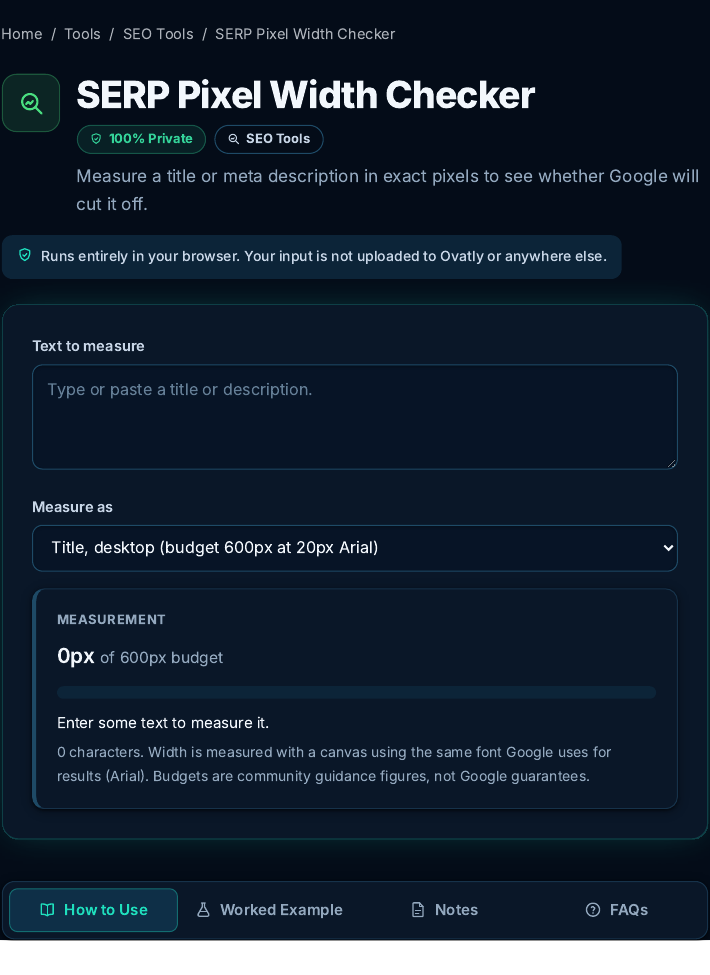 The checker at rest. Screenshot: genuine capture from the live Ovatly staging website, 9 November 2026.
- Read the verdict: the measured width against the budget, and whether it should display without truncation.
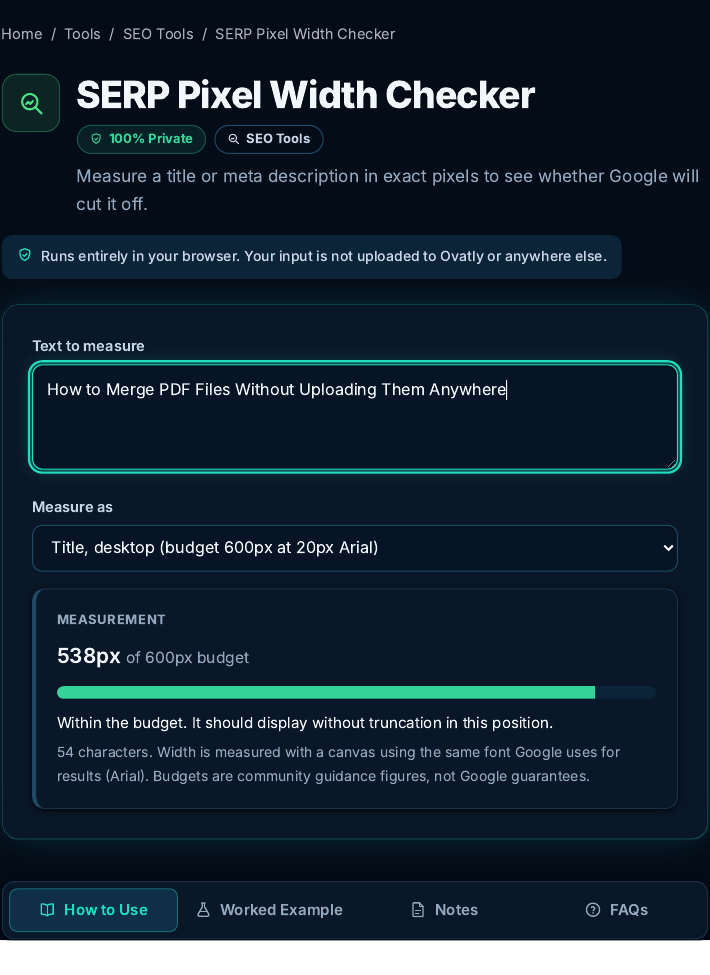 The title measurement from the worked example below. Screenshot: genuine capture from the live Ovatly staging website, 9 November 2026.
- Repeat for the description with the description mode, and check the mobile modes as well if most of your readers arrive by phone.
- Open the SERP Preview Simulator, enter the same pair, and read them as a stranger would: would you click this, and does it sound like the page you are about to open?
Worked example: measuring a real title and description
For this guide we measured the title and description of this publication's own first article, exactly as published in its draft:
- Title: "How to Merge PDF Files Without Uploading Them Anywhere" (54 characters)
- Description: "Merge PDF files free in your browser: no upload, no sign-up. A step-by-step guide with a worked example, the privacy facts, mistakes to avoid and fixes." (152 characters)
The checker's verdicts, word for word: the title measures 538px of the 600px budget and "should display without truncation in this position"; the description measures 942px of the 960px budget, also within budget. Notice how the description's character count (152, comfortably inside the traditional band) hides how close it runs in pixels, at 98 percent of the desktop width budget. That single comparison is the whole argument of this guide in miniature.
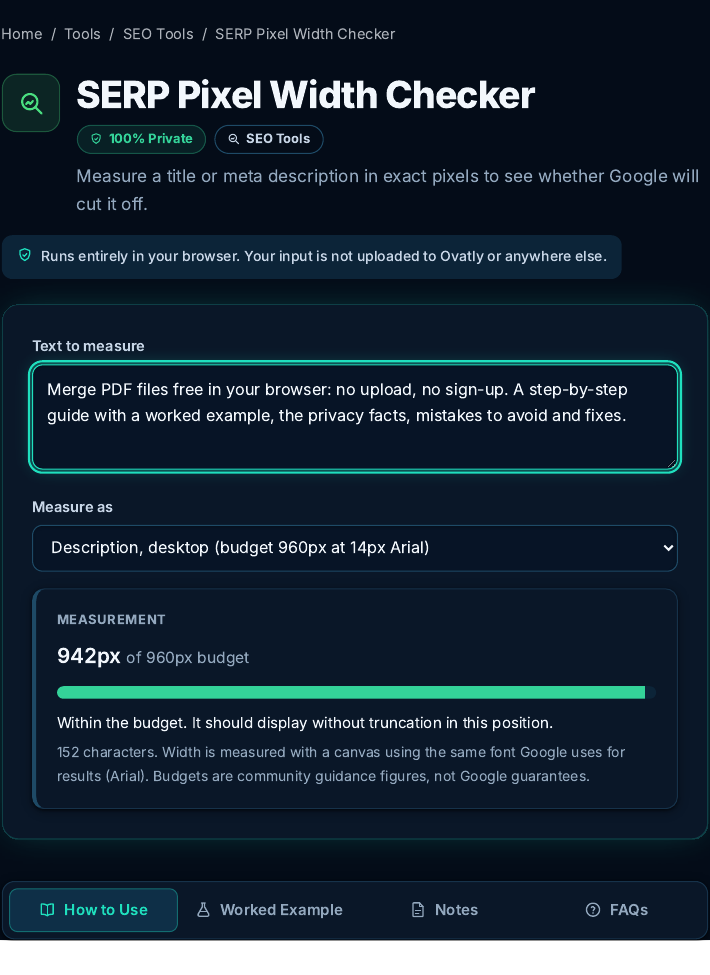 The description measurement. The character count looked safe; the pixel count shows the real margin. Screenshot: genuine capture from the live Ovatly staging website, 9 November 2026.
In the preview simulator, the same pair renders as a complete result with nothing cut:
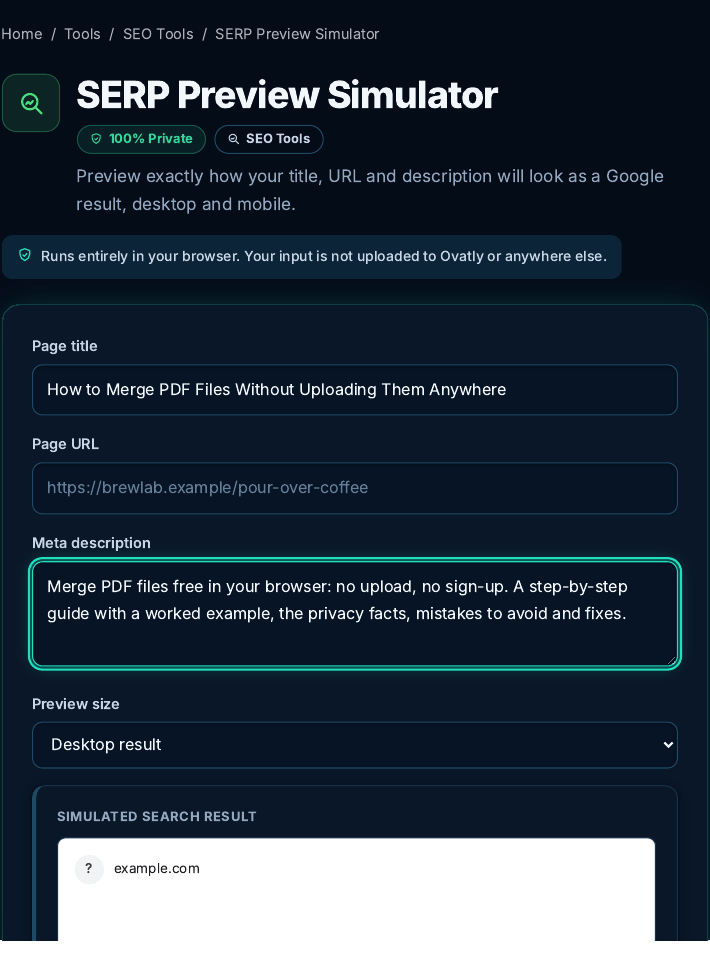 The preview of the same pair. The simulator leaves its example.com placeholder in the URL line because no page URL was entered; the title and description shown are the measured pair. Screenshot: genuine capture from the live Ovatly staging website, 9 November 2026.
Limitations: what you do not control
Three honest limits frame everything above. First, Google may display a different title link or snippet than the ones you wrote, taken from your page's headings and text, when it judges them a better match for a query; well-written page headings are your backup plan. Second, display widths differ between desktop and mobile and change over time, which is why the checker's budgets are guidance, not guarantees, and why the longest safe habit is to leave margin rather than write to the last pixel. Third, these lines influence whether a shown result gets clicked; they do not manufacture relevance or rankings for a page that does not satisfy the searcher. Write them well, then make the page deserve them.
Common mistakes
- Keyword stuffing. "Cheap shoes, best cheap shoes, buy cheap shoes online" reads as spam to humans and systems alike, and wastes the width on repetition.
- The same pair on every page. Duplicated titles and descriptions make your own pages indistinguishable in results.
- Clickbait the page cannot cash. A title promising "the complete guide" over a 300-word post trains visitors to distrust your results.
- Writing for characters only. As the worked example showed, a "safe" character count can hide a near-overflow in pixels.
- Forgetting mobile. If your own readers mostly arrive by phone, the mobile widths are the binding ones, whatever the global averages say. Check the mobile modes too.
- Leaving the generator's first draft in place. Template options are starting points. The final lines should sound like your page, in your words.
Troubleshooting
My title still gets cut off. Shorten it in pixels, not by a set number of characters: remove the clarifier first, then the brand, and move the most important words earlier. Wide capitalised words cost the most width.
Google shows a different title than mine. Check whether your page's main heading matches the intent better than your title tag does. Align the two rather than fighting the rewrite, and make sure the title tag is not stuffed or duplicated across pages.
My description never appears. Google may build the snippet from text anywhere on the page that matches the query; no spot on the page is guaranteed to be used. Clear, self-contained summary sentences give it good material to borrow, and the opening paragraph is a natural candidate, but which text appears is Google's choice, made per query.
FAQs
What is the ideal title length? There is no official fixed length. Use the pixel budgets as working guidance (about 600px desktop) and keep typical titles near 50 to 60 characters, verifying in the checker because letter widths vary.
Does the meta description affect rankings? Google states the description is not a ranking signal; it affects how your result reads and whether it gets clicked. Its value is real but indirect.
Should every page have a unique description? Yes, where the pages genuinely differ. A unique, accurate pair per page is the baseline; duplicated pairs waste the space entirely.
Do the generators write good copy automatically? They assemble structured options from your input. The judgement, accuracy and final wording remain yours, and any claim in your input flows into the output, so keep the input honest.
Conclusion
Meta titles and descriptions are small texts with an outsized job: they are your page's introduction to every searcher who finds it. Match the intent, name the page truthfully, include one concrete reason to click, and then verify the pair the way a searcher will meet it: measured in pixels with the SERP Pixel Width Checker and read cold in the SERP Preview Simulator. Do that for every page and your results will say what your pages actually deliver, which is the only click-earning trick that keeps working. The SEO Tools category collects the checker, the simulator and the generators in one place.
References
- Google Search Central, on title links and how Google generates them: https://developers.google.com/search/docs/appearance/title-link
- Google Search Central, on controlling and writing snippets and meta descriptions: https://developers.google.com/search/docs/appearance/snippet